
PostgreSQL Indexing Guide: B-tree, GIN, and Faster Queries
A practical PostgreSQL indexing guide: choose the right index type, understand composite, partial, and covering indexes, and prove the improvement with EXPLAIN ANALYZE.
Panji Ihsanudin Fajri
21 min read0 reads
Contents
- What is a PostgreSQL index?
- Why an index speeds up queries (and when it does not)
- PostgreSQL index types
- B-tree: the default that covers most cases
- Hash: equality only
- GiST and SP-GiST: multi-dimensional and partitioned data
- GIN: one row, many searchable values
- BRIN: summaries, not one entry per row
- How B-tree and composite indexes work
- Advanced indexes: partial, expression, and covering
- Partial index: only for a subset of rows
- Expression index: indexing the result of a function
- Covering index: answering the query from the index alone
- Tutorial: measuring and adding an index with EXPLAIN ANALYZE
- Step 1: create a sample table and fill it
- Step 2: measure before any index
- Step 3: build the index without blocking writes
- Step 4: measure again and compare
- Step 5: test a query using the second column
- Real examples: three query patterns, three different indexes
- Pattern 1: one customer's orders, newest first
- Pattern 2: searching inside JSONB metadata
- Pattern 3: reporting over a very large log table
- Common mistakes and how to avoid them
- Maintaining indexes you already have
- PostgreSQL indexing best practices
- FAQ
- Does a primary key automatically create an index in PostgreSQL?
- How many indexes can one table have?
- Why does my query still do a sequential scan even though an index exists?
- Do indexes slow down INSERT and UPDATE?
- When should I use GIN, and when B-tree, for a JSONB column?
- Conclusion
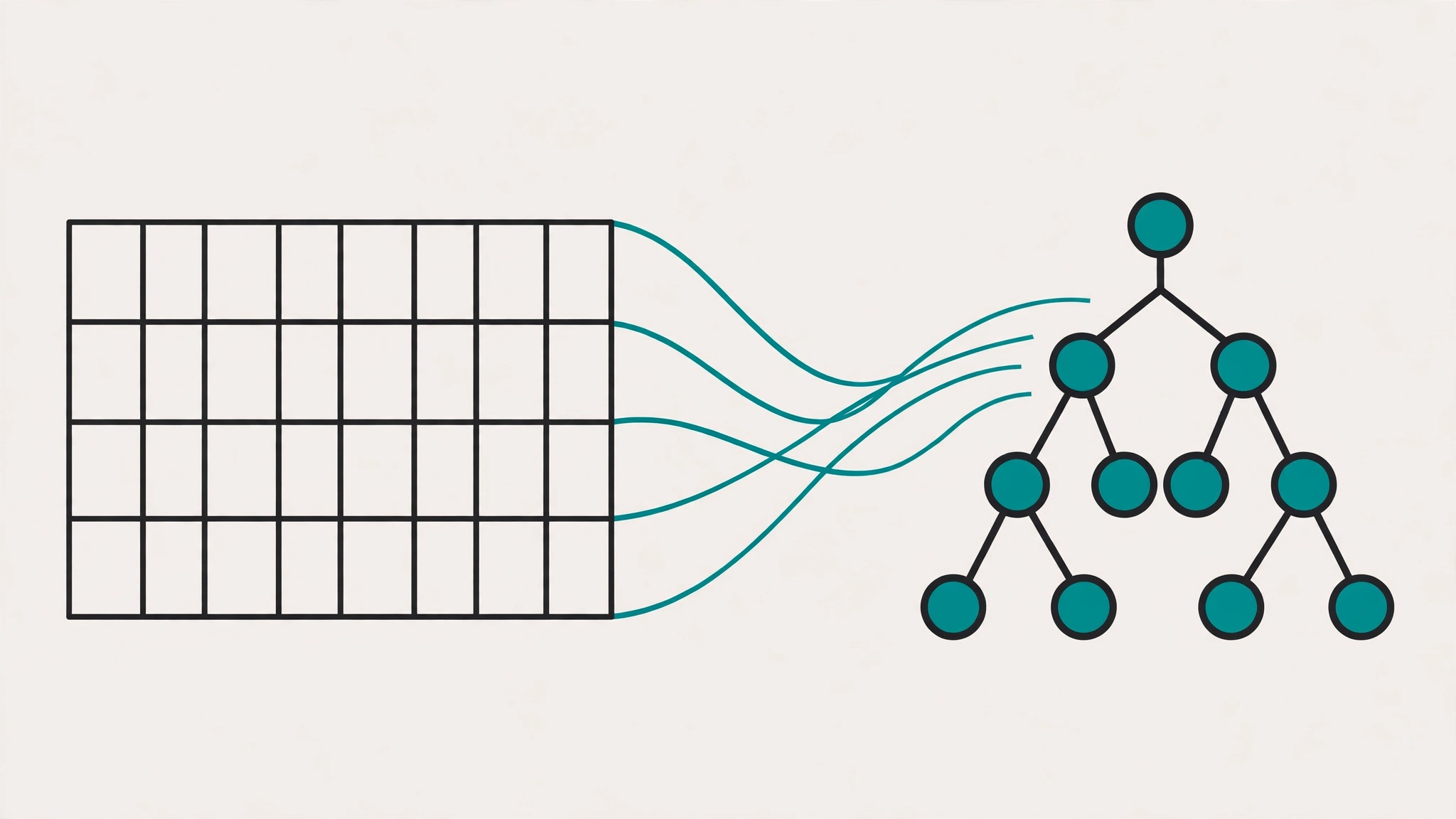
A slow query is rarely caused by PostgreSQL being "slow". More often, the cause is simple: the database has to read an entire table to find a handful of rows you asked for. A PostgreSQL index is an extra data structure built for exactly that problem: finding the right rows without scanning every row.
This guide covers PostgreSQL indexing from the ground up to daily practice: what an index is, the six built-in index types and when each one fits, how B-tree and composite indexes work, advanced variants like partial and covering indexes, and how to prove an improvement with EXPLAIN ANALYZE. Every example uses standard SQL you can run against your own PostgreSQL database.
Summary:
- An index is a separate structure mapping column values to rows, so selective queries avoid sequential scans.
- B-tree is the default and the answer for most queries: equality, ranges, and ORDER BY.
- GIN fits JSONB, arrays, and full-text search; GiST fits geometry and ranges; BRIN fits very large tables that are naturally ordered.
- A composite index only works from its leftmost column onward; partial and covering indexes shrink size and maintenance cost.
- Always measure before and after with EXPLAIN ANALYZE, not by gut feeling.

What is a PostgreSQL index?
A PostgreSQL index is a separate data structure that stores a copy of one or more columns, organized so PostgreSQL can find matching rows quickly. An index does not change the contents of the table; it only provides a shortcut to the rows you are looking for.
The closest analogy is the index at the back of a book. Without it, you read page after page to find one term. With it, you go straight to the pages that contain that term. PostgreSQL behaves the same way: without a matching index, the planner picks a sequential scan and reads every row; with one, it can pick an index scan and touch only the relevant rows.
One misunderstanding is worth clearing up early: an index does not make every query fast. It only helps when your query is selective, meaning it needs a small fraction of the table's rows. A query that genuinely has to return half the table is usually faster with a sequential scan, because reading in order is cheaper than jumping around through an index. The PostgreSQL planner makes this call based on table statistics, which is why running ANALYZE regularly is part of indexing work that people often skip.
Why an index speeds up queries (and when it does not)
Picture an orders table with ten million rows. A query like WHERE customer_id = 42 without an index forces PostgreSQL to inspect all ten million rows, one by one. With an index on customer_id, PostgreSQL looks up the value 42 in the index structure, gets the list of row pointers, and fetches only those rows from the table. Work that used to scale with the size of the table now scales with the size of the result.
Indexes help beyond WHERE filters. A B-tree index stores entries in sorted order, so a query with ORDER BY on the indexed column can be read directly in that order with no separate sort step. The combination of ORDER BY ... LIMIT benefits most: with a matching index, PostgreSQL can stop after the first N rows without processing the rest of the table.
But every index has a price. Every INSERT, UPDATE, and DELETE on the table must update all of its indexes too. A table with eight indexes writes eight extra structures every time one row changes. Indexes also consume disk space, and an index that is never used is pure overhead: it slows down writes without ever speeding up reads. So the practical rule is not "index every column" but "index the columns your slow queries actually use".
There is one important exception to the price rule: indexes that enforce uniqueness. A primary key and a unique constraint in PostgreSQL automatically create an index behind the scenes, and that index is the mechanism enforcing the constraint. Do not create a second manual index on the same column; you only duplicate work for no benefit.
Finally, an index is not a substitute for caching. When the same query runs thousands of times per second with results that rarely change, a cache layer above the database often has a bigger impact than another index. The article on Redis caching strategies covers when caching is the right answer and when the database itself needs fixing.
PostgreSQL index types
PostgreSQL ships six built-in index types. The table below summarizes each one, and each type is then discussed in turn.
| Type | Best for | Main limitation |
|---|---|---|
| B-tree | Equality, ranges, ORDER BY on ordinary columns | Not suited for searching inside JSONB or arrays |
| Hash | Equality only (=) |
No ranges, no ORDER BY |
| GiST | Geometry, range types, nearest-neighbor | More complex, tends to be large |
| SP-GiST | Space-partitioned data, hierarchies, prefixes | Special cases, not a general choice |
| GIN | JSONB, arrays, full-text search | Large size, higher write cost |
| BRIN | Very large tables with natural ordering (time-series, logs) | Only works when values correlate with physical row order |
B-tree: the default that covers most cases
B-tree is the index type CREATE INDEX builds when you do not specify USING. It stores entries in a balanced, sorted tree, supporting =, <, >, BETWEEN, IS NULL, and ORDER BY. For numbers, dates, UUIDs, and plain text columns, start with B-tree and move to another type only when you have a concrete reason.
Hash: equality only
A hash index supports only = and cannot help range queries or sorting. In modern practice, its advantage over B-tree for pure equality is tiny, while its limitations are large. Treat hash as a special-purpose choice, not an everyday alternative to B-tree.
GiST and SP-GiST: multi-dimensional and partitioned data
GiST (Generalized Search Tree) is a framework for data types that cannot be ordered along a single dimension: PostGIS geometry, range types, and nearest-neighbor search. SP-GiST partitions the index space into non-overlapping regions, fitting structures like tries and hierarchical data. Unless you work with spatial or range data, you will rarely touch either type directly.
GIN: one row, many searchable values
GIN (Generalized Inverted Index) flips how an index sees a row: one row can contain many searchable values, such as array elements, keys inside a JSONB document, or words inside a text document. Each component gets its own entry, so queries like "which JSONB documents contain this key" or "which arrays contain this element" can be answered without scanning every document. The price is a large index and higher write cost than B-tree.
BRIN: summaries, not one entry per row
BRIN (Block Range Index) does not store one entry per row. It stores a summary, such as the minimum and maximum value, for each range of table blocks. For a time-series table whose rows are stored in time order, BRIN can be dramatically smaller than a B-tree while still pruning most blocks outside the queried range. The condition is strict: if column values do not correlate with the physical order of rows, BRIN cannot prune anything and is useless. Check correlation through pg_stats.correlation before choosing BRIN.
How B-tree and composite indexes work
A B-tree stores entries in sorted order inside a balanced tree. "Balanced" means all leaves sit at the same depth, so looking up any value takes roughly the same number of steps: down from the root, through a few internal nodes, to the leaf holding that value. Because entries are sorted, finding a range means locating the lower bound and then walking sideways to the upper bound. That is why B-tree handles BETWEEN and ORDER BY so naturally.
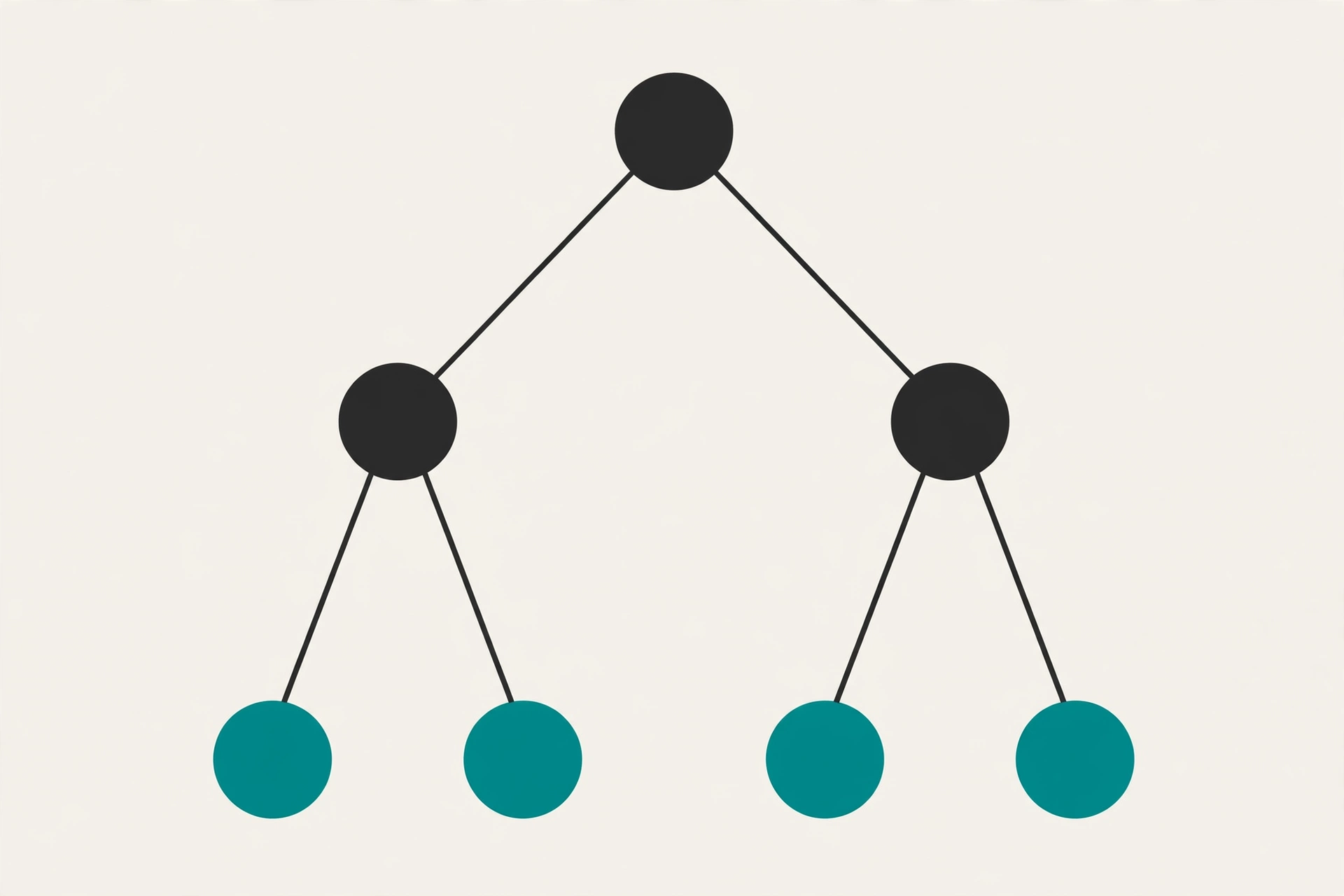
A composite index, or multicolumn index, is a B-tree whose key spans several columns at once, for example (customer_id, created_at). Column order here is a design decision, not a cosmetic detail. PostgreSQL can use this index for queries filtering on customer_id alone, or on customer_id and created_at together, but not efficiently for queries filtering only on created_at. This is the leftmost prefix rule: an index can only be used from its leftmost column rightward, without skipping a column.
A concrete example: an index on (customer_id, created_at) serves the following three query patterns very differently.
-- Uses the index: the leftmost column is filtered
SELECT * FROM orders WHERE customer_id = 42;

-- Uses the index: both columns are filtered
SELECT * FROM orders
WHERE customer_id = 42 AND created_at >= '2026-01-01';

-- Does not use the index efficiently: the left column is missing from the filter
SELECT * FROM orders WHERE created_at >= '2026-01-01';
The third case needs a separate index on created_at, or an index with the column order reversed, depending on which query pattern is more frequent. One more thing worth knowing: only B-tree, GiST, GIN, and BRIN support multicolumn indexes, and the total column count including INCLUDE columns is limited to 32. If you hit that limit, your index design is almost certainly already too wide.
Sort order inside the index can also be tuned. By default a B-tree stores entries ascending with nulls last, so ORDER BY x ASC can be served directly from the index. You can build a DESC index when the dominant query sorts descending, such as a list of the newest orders. Also remember that only B-tree can produce sorted output; other index types return rows in an unspecified order, so never rely on result order from GIN or BRIN.
Advanced indexes: partial, expression, and covering
Once basic B-tree and composite indexes are in place, these three variants are the tools that most often turn "fast enough" into "exactly right".
Partial index: only for a subset of rows
A partial index adds a WHERE clause to the index definition, so the index only contains rows matching that predicate. The classic pattern is orders that are still active, or users who have not been deleted.
CREATE INDEX idx_orders_active
ON orders (customer_id)
WHERE status = 'active';
This index is much smaller than a full index on the same column, and a query with the exact same status = 'active' filter can use it. The key phrase is "exact same": the query predicate must imply the index predicate, or the planner will not pick it. A partial index whose predicate never matches a real query is an index that is never used.
Expression index: indexing the result of a function
Sometimes a query does not filter a raw column but the result of a function over it, such as a case-insensitive search with lower(email). A plain index on email does not help that query, because the value being searched is the function result, not the raw value. An expression index stores the function result.
CREATE INDEX idx_users_email_lower
ON users ((lower(email)));
Note the double parentheses: they are required in expression index syntax. There are two more conditions: the function must be immutable, meaning the same input always yields the same output, and the query must use exactly the same expression as the index. WHERE lower(email) = 'a@b.com' uses the index above; WHERE email = 'a@b.com' does not.
Covering index: answering the query from the index alone
When every column a query needs is already in the index, PostgreSQL can answer the query without touching the table at all. This is called an index-only scan. The INCLUDE clause adds payload columns to an index without making them part of the search key.
CREATE INDEX idx_orders_customer_covering
ON orders (customer_id)
INCLUDE (total, status);
The query SELECT total, status FROM orders WHERE customer_id = 42 can now be answered entirely from the index. The benefit is real for hot queries that need only a few columns. So is the cost: INCLUDE columns enlarge the index, so add only columns that hot queries actually use, not every column in the table.
Tutorial: measuring and adding an index with EXPLAIN ANALYZE
This is the workflow you can repeat for every slow query. Do not guess which index is needed; measure first, add, then measure again.
Step 1: create a sample table and fill it
CREATE TABLE orders (
    id          bigint GENERATED ALWAYS AS IDENTITY PRIMARY KEY,
    customer_id bigint NOT NULL,
    status      text NOT NULL,
    total       numeric(12, 2) NOT NULL,
    created_at  timestamptz NOT NULL DEFAULT now()
);
Note that id as a primary key already gets a B-tree index automatically. Do not create a second manual index on id. For the experiment, fill the table with enough rows for the difference between a sequential scan and an index scan to show up; a table with a hundred rows will not show anything, because the planner will rightly choose a sequential scan for a tiny table.
Step 2: measure before any index
EXPLAIN ANALYZE
SELECT * FROM orders WHERE customer_id = 42;
Look at two things in the output. First, the node type: Seq Scan on orders means PostgreSQL read the whole table. Second, the actual execution time, not the estimate. Plain EXPLAIN only shows the plan; EXPLAIN ANALYZE actually runs the query and reports real timing. That is why EXPLAIN ANALYZE is the main tool in this section.
Step 3: build the index without blocking writes
CREATE INDEX CONCURRENTLY idx_orders_customer_id
ON orders (customer_id);
CONCURRENTLY builds the index without locking the table against writes. That is the right choice for a production table. There are two consequences to accept: the build is slower than a regular build, and the command cannot run inside a transaction block. If your migration framework wraps every statement in a single transaction, write a dedicated migration for this index, or run it outside a transaction. Deployment practices like this are also covered in the CI/CD pipeline guide.
Step 4: measure again and compare
EXPLAIN ANALYZE
SELECT * FROM orders WHERE customer_id = 42;
What you want to see is the node changing to Index Scan or Index Only Scan with a lower execution time. If the node stays Seq Scan, do not add another index right away. Check the likely causes: stale table statistics making the planner misjudge selectivity (run ANALYZE orders), a query using a function over the column so a plain index does not match, or a table too small for an index scan to be worthwhile.
Step 5: test a query using the second column
CREATE INDEX idx_orders_customer_created
ON orders (customer_id, created_at);

EXPLAIN ANALYZE
SELECT * FROM orders
WHERE customer_id = 42
ORDER BY created_at DESC
LIMIT 20;
This composite index serves the filter and the sort together: rows for one customer are already stored ordered by created_at inside the index, so ORDER BY ... LIMIT 20 can stop after the first 20 rows with no extra sort step.
Real examples: three query patterns, three different indexes
One orders table produces very different query patterns, and each pattern calls for a different index. The three examples below come from patterns that repeat in real applications.
Pattern 1: one customer's orders, newest first
This is the composite index pattern from the tutorial: (customer_id, created_at DESC). Filter on the first column, ordering on the second, and a small LIMIT make this index very effective. If this listing page is the most-opened page in the app, this index is the first candidate to exist.
Pattern 2: searching inside JSONB metadata
Suppose each order stores flexible metadata in a payload jsonb column, and the support team often looks up orders by a key inside it.
CREATE INDEX idx_orders_payload_gin
ON orders USING gin (payload);

SELECT * FROM orders
WHERE payload @> '{"channel": "mobile"}';
The @> (contains) operator is the classic GIN case. Without this index, every search has to scan and parse the JSONB document of every row. With GIN, PostgreSQL finds the rows whose documents contain that key-value pair directly. One note: if your workload is vector similarity search rather than JSONB containment, the relevant index types are different and are covered in the vector database comparison.
Pattern 3: reporting over a very large log table
A log table that only gains new rows and is almost never updated, with a created_at column naturally ordered as time passes, is a BRIN candidate.
CREATE INDEX idx_events_created_brin
ON events USING brin (created_at);
BRIN for a table like this can be far smaller than a B-tree, because it only stores a summary per block range. Date-range reporting queries can still prune blocks outside the range. But if log rows arrive out of order, for example a bulk import of old data mixed together, BRIN loses its ability to prune and you are back to B-tree.
Common mistakes and how to avoid them
The first mistake is indexing the wrong column. A boolean column, or a column with only two possible values such as is_active, is almost never selective on its own: its index does not narrow results meaningfully, so the planner ignores it. Such an index only adds write cost. The exception is a partial index, where you index a small, interesting subset rather than the whole column.
The second mistake is overlapping indexes. An index on (customer_id) and another on (customer_id, created_at) on the same table are redundant: the second already serves every query the first serves. Audit the index list regularly, and drop duplicates; it directly improves write speed.
The third mistake is using a function in WHERE without an expression index. Queries like WHERE lower(email) = ... or WHERE created_at::date = ... cannot use a plain index on the raw column. The fix is not a second plain index but an expression index whose expression exactly matches the one in the query.
The fourth mistake is the LIKE '%text%' pattern with a leading wildcard. A B-tree cannot use a prefix it does not know, so this pattern stays a sequential scan even when the column is indexed. For substring search like this, the answer is a trigram index from the pg_trgm extension with GIN or GiST, or full-text search, not a plain B-tree.
The fifth mistake is ignoring statistics. The planner picks an index based on its estimate of how many rows match. When statistics go stale after a large data change, the planner can pick the wrong plan even though the right index exists. Run ANALYZE after bulk loads or large data changes, and check that autovacuum is running normally on production databases.
Maintaining indexes you already have
An index you have created is not finished work. Three checks, done periodically, are enough.
First, measure index size. The pg_indexes catalog lists indexes per table, and pg_relation_size reports their size. When total index size significantly exceeds the table size itself, that is a signal of too many indexes or indexes that are too wide.

Second, find unused indexes through pg_stat_user_indexes. The idx_scan column shows how many times an index has been used since statistics were last reset. An index with zero idx_scan over a long enough observation window is a removal candidate, with one caution: indexes enforcing a unique constraint or primary key must not be dropped even when idx_scan is low, because their job is enforcing a rule, not speeding up queries.
Third, rebuild bloated indexes. After many updates and deletes, an index can hold a lot of empty space from dead entries. REINDEX rebuilds an index from scratch. For production tables, the CONCURRENTLY variant is the safe choice because it does not block writes, with the same caveat as CREATE INDEX CONCURRENTLY: it cannot run inside a transaction block.
One note on VACUUM: the process reclaims space from dead rows, including their index entries. Healthy autovacuum is a prerequisite for indexes staying efficient; turning autovacuum off to "save resources" only makes indexes and tables bloat over time.
PostgreSQL indexing best practices
The list below turns everything in this article into a checklist you can use when reviewing a schema.
- Start from a slow query, not from a column that "looks like" it needs an index. Prove it first with EXPLAIN ANALYZE.
- Pick B-tree by default. Move to GIN, GiST, or BRIN only when the data shape or query pattern demands it.
- Order composite index columns from the most selective and most frequently filtered to the least, and respect the leftmost prefix rule.
- Use partial indexes for small, frequently queried row subsets, and expression indexes for filters over function results.
- Add
INCLUDEcolumns only for columns hot queries actually use, not as a shortcut to avoid table access. - Build production indexes with
CONCURRENTLYand outside a transaction block. - Audit indexes regularly: drop duplicates and unused ones, and compare total index size against table size.
- Keep statistics fresh with ANALYZE after large data changes, and make sure autovacuum runs.
- Document the reason for every non-trivial index in the migration or schema comment, so six months from now nobody drops an index that supports a critical query.
The same principle applies at the application layer: the REST API design guide shows how consistent filter and pagination parameters make query patterns predictable, and predictable query patterns are the precondition for indexes staying relevant.
FAQ
Does a primary key automatically create an index in PostgreSQL?
Yes. A primary key and a unique constraint automatically create a B-tree index behind the scenes, and that index is what enforces uniqueness. Do not create a second manual index on the same column, because it only duplicates write cost and disk space.
How many indexes can one table have?
There is no magic number. A read-heavy table can tolerate more indexes than a write-heavy table. The practical yardstick is measurement: when write speed drops, or total index size overtakes table size, audit and remove indexes that give no measurable benefit.
Why does my query still do a sequential scan even though an index exists?
The most common causes are stale statistics, a query using a function over the column without an expression index, or a table too small for an index scan to be cheaper. Run EXPLAIN ANALYZE, compare estimated rows with actual rows, run ANALYZE, and check whether the query predicate truly matches the index definition.
Do indexes slow down INSERT and UPDATE?
Yes, every index adds write work, because each row change must update every index on the table. The impact scales with the number and width of indexes. That is why unused indexes should be dropped, and why write-heavy tables should carry fewer indexes than read-heavy ones.
When should I use GIN, and when B-tree, for a JSONB column?
Use GIN when queries search inside documents, for example containment @>, key existence ?, or searching inside arrays. B-tree is only useful when you filter on the whole JSONB value with equality, which is rare. For most JSONB workloads, GIN is the right answer.
Conclusion
PostgreSQL indexing is simple in concept and rich in detail: B-tree for most queries, GIN for composite data like JSONB and arrays, GiST for multi-dimensional data, and BRIN for very large tables that are naturally ordered. Composite, partial, expression, and covering indexes let you fit the index to the actual query pattern instead of guessing.
The workflow that works is always the same: measure the slow query with EXPLAIN ANALYZE, pick the index type and columns from that query pattern, build with CONCURRENTLY in production, measure again, and audit periodically. Indexes built from measurements and kept through audits keep paying off long after the query that motivated them has changed.
The most valuable next step: pick one slow query in your own application today, run EXPLAIN ANALYZE before and after adding the right index, and record the difference. One real measurement beats ten indexes built on a hunch.
Sources: PostgreSQL documentation on the index access method, PostgreSQL documentation on multicolumn indexes, and PostgreSQL documentation on unique indexes.
Comments
Have a thought, a question, or something to add? Write it here.