API Rate Limiting Guide: Token Bucket, Sliding Window, and Practical Implementation
A complete guide to API rate limiting: four algorithms, Python and Redis examples, NGINX configuration, and correct 429 handling.
Panji Ihsanudin Fajri
23 min read0 reads

Contents
- What is API rate limiting?
- Why rate limiting matters
- Four rate limiting algorithms
- Fixed window counter
- Sliding window log
- Sliding window counter
- Token bucket
- Leaky bucket
- Comparing the algorithms
- Choosing keys and limit granularity
- Step by step: a token bucket in Python
- Step by step: fixed window in Redis
- Putting limits in NGINX
- Response headers and a correct 429
- Distributed rate limiting and its traps
- Client side: handling 429 correctly
- Real-world example: how public APIs publish their limits
- Common mistakes and how to avoid them
- Best practices for production
- FAQ
- Are rate limiting and throttling the same thing?
- Which algorithm should I start with?
- What is a sensible limit for a new API?
- Should 429s count as errors in monitoring?
- Is rate limiting enough to stop abuse?
- Conclusion
One unguarded endpoint can be drained by a single aggressive client: a script that forgot to stop, an integration that retries with no pause, or a bot crawling without restraint. The damage is not just a slow server; every other user of the API feels it too. This guide covers API rate limiting from first principles to implementation: the four algorithms used most often, when each one fits, working Python and Redis examples, an NGINX configuration, and how a well-behaved client handles a 429 response.
Summary: Rate limiting caps how many requests one client may make in a time window. Fixed window is the simplest but allows a burst at the window boundary. Sliding window is smoother but costs more to compute. Token bucket allows controlled bursts, leaky bucket enforces a constant output rate. For multi-instance systems, keep counters in a shared store like Redis. Always answer with 429 and a Retry-After header, never 403 or 503.
What is API rate limiting?
API rate limiting caps the number of requests accepted from one client over a given period. A client here can mean one IP address, one API key, one user account, or a combination of those. The limit is expressed as a number plus a window, for example 100 requests per minute or 1,000 requests per hour.
Once a client passes the limit, the server rejects further requests until the next window begins. That rejection has to be explicit: a 429 Too Many Requests status plus a Retry-After header telling the client how long to wait. A client that is never told when it may retry will keep retrying, and blind retries add exactly the load the limit was meant to prevent.
Rate limiting is often confused with throttling, and the difference matters. Rate limiting rejects requests over quota. Throttling slows requests down without rejecting them. Both manage load, but the client experience differs: a clear failure versus a slow success. This guide focuses on rate limiting, mentioning throttling only as an alternative where the comparison is useful.
One misconception is worth clearing up early: rate limiting does not replace authentication or authorization. Requests from unknown clients can still be limited by IP, but an IP-based limit is never as accurate as a key-based one. Shared IPs from office NATs or mobile networks make many people look like one client. That is why serious public APIs limit primarily by API key or account, and use IP-based limits only as an outer layer.
Why rate limiting matters
The first reason is protection against unreasonable load. A single expensive endpoint, a search with many filters or a report scanning thousands of rows, can exhaust database connections if called thousands of times per minute. A sensible limit turns that scenario from "the server is down" into "one client gets 429s". Everyone else keeps working.
The second reason is fairness between clients. Without limits, the most aggressive client takes the largest share of a finite capacity. In a multi-tenant API this is easy to feel: one tenant running a large backfill slows down another tenant doing ordinary daily work. Per-tenant limits keep one party from monopolizing shared resources.
The third reason is cost. API load often maps directly to a bill: compute, database queries, calls to an AI model, or third-party services charged per request. Rate limiting is a cheap emergency brake. Rejecting request 10,001 in an hour beats paying for a spike caused by a misconfigured script.
The fourth reason is basic security. Rate limiting will not stop a determined attack, but it narrows the room it has to move in. Login and password-reset endpoints are the classic case: limiting attempts per account and per IP makes brute force far slower and far easier to spot. Limits here should be much stricter than for ordinary read endpoints, and failed authentication attempts should still count even when the error response stays generic.
The fifth reason, often overlooked, is the contract with clients. Published limits and consistent quota headers let integrators plan. A developer integrating your API can work out how many requests they need, when to use a cache, and when to ask for a higher quota. An API that suddenly rejects requests with no explanation loses trust faster than one that rejects with a clear limit.
Four rate limiting algorithms
Fixed window counter
Fixed window is the simplest algorithm. The server keeps a counter per client per fixed window, for example per calendar minute. Each request increments the counter. Once the counter reaches the limit, requests are rejected until the next window starts and the counter resets to zero.
Implementation is cheap: one increment in Redis plus an expiry. The weakness is the burst at the window boundary. A client can send 100 requests in the last second of one minute and 100 more in the first second of the next, pushing 200 requests through in two seconds against a limit of 100 per minute. For generous limits this is usually acceptable. For sensitive endpoints like login, that gap alone is reason to pick something else.
Sliding window log
Sliding window log stores the timestamp of every request from a client, then counts how many timestamps still fall inside the moving window. A new request is rejected if that count already reached the limit. The algorithm is accurate: there is no boundary burst, because the window always moves with the current time.
The price is memory and compute. Storing a timestamp per request means data grows with request volume, and every decision requires reading and pruning old timestamps. At high traffic that cost is real. Sliding window log therefore fits endpoints where request volume is moderate but accuracy matters, not every endpoint in the system.
Sliding window counter
Sliding window counter is the compromise between the two. The window is split into small slots, for example one minute split into six ten-second slots. Counters per slot are summed with weights: the current slot counts fully, earlier slots count proportionally to how much of their time remains. The result approximates sliding window log without storing a timestamp per request.
This algorithm is popular in gateways and rate limiting libraries because it offers good accuracy at low cost. The trade-off is that it remains an approximation. In extreme cases the count can drift slightly from the true number of requests in the moving window. For nearly all public API needs, that drift is irrelevant.
Token bucket
Token bucket works like a bucket filled with tokens at a steady rate. Each request takes one token. When the bucket is empty, requests are rejected until tokens refill. Bucket capacity decides how large a burst is allowed: a full bucket of 100 permits 100 requests at once, and the refill rate then governs what follows.
This is the most flexible algorithm for general-purpose APIs. It tolerates occasional bursts, which is normal for human traffic patterns and batch jobs, while still capping the long-term average rate. Most discussions of API rate limiting end up at token bucket because its behavior is easy to grasp and easy to tune: two numbers, capacity and refill rate, describe the whole policy.
Leaky bucket
Leaky bucket is the mirror image of token bucket. Requests enter a queue and leave it at a constant rate, like a bucket leaking at a fixed speed. When the queue is full, new requests are rejected. The output stream is perfectly smooth: no bursts at all, whatever the incoming pattern looks like.
That strength is also its weakness. Leaky bucket suits downstream systems that cannot tolerate spikes, such as processing queues or third-party services with strict quotas. But for an API serving interactive users it feels rigid: a request that is well within the average quota can still be delayed or rejected just because it arrived close to others. In practice, token bucket is the usual choice for public APIs, while leaky bucket lives in internal processing layers.

Comparing the algorithms
| Aspect | Fixed window | Sliding window | Token bucket | Leaky bucket |
|---|---|---|---|---|
| Accuracy | Weak at window boundary | High | High for average rate | High, constant output rate |
| Bursts | Fully allowed at boundary | No | Allowed up to bucket capacity | Never |
| Memory cost | One counter | Timestamp per request | One counter + timestamp | One queue |
| Implementation complexity | Very low | Medium | Low | Medium |
| Best for | Generous limits, read endpoints | Sensitive endpoints, moderate traffic | General public APIs | Fragile downstream systems |
This table is not a rigid rule. Many production systems layer several algorithms: fixed window at the edge for coarse protection, token bucket per API key at the gateway for product policy, and strict special limits on login endpoints. The layers complement each other rather than replacing one another.
Choosing keys and limit granularity
The algorithm is only half the design. The other half is answering: whom does this limit apply to, and to what? A wrong answer makes a technically correct limit unfair or useless.
IP-based limits are the outermost layer. They are cheap, need no authentication, and catch crude patterns like one IP sending thousands of requests per second. Their weakness is already known: NATs and shared proxies make one IP represent many humans. Never use an IP limit as the only limit for an API that already has authentication.
API key or account limits are the main layer for public APIs. One key, one quota. A leaked or abused key can be revoked without affecting other users. Pricing tiers live here too: a free key gets 100 requests per hour, a paid key gets 10,000 per hour, and so on.
Per-endpoint limits add precision. Cheap read endpoints can have generous limits, while expensive writes or endpoints that trigger heavy work get strict ones. Login, password reset, and OTP delivery form their own category: limits counted per account and per IP at the same time, because attacking one account from many IPs is a real pattern.
Overly fine granularity has its own cost. Every combination of key and endpoint is a counter to store and evaluate. Start with three layers: IP at the edge, API key at the gateway, and special limits for a handful of sensitive endpoints. Add a new layer only when metrics show a real problem, not out of worry about a hypothetical one.
Step by step: a token bucket in Python
The following is an in-memory token bucket suitable for a single process. It uses a lock so it is safe across threads, and it refills tokens based on elapsed time rather than a background timer.
import threading
import time


class TokenBucket:
    def __init__(self, capacity: int, refill_per_second: float):
        self.capacity = capacity
        self.tokens = float(capacity)
        self.refill_per_second = refill_per_second
        self.last_refill = time.monotonic()
        self.lock = threading.Lock()

    def _refill(self, now: float) -> None:
        elapsed = now - self.last_refill
        self.tokens = min(self.capacity, self.tokens + elapsed * self.refill_per_second)
        self.last_refill = now

    def allow(self, cost: int = 1) -> bool:
        with self.lock:
            now = time.monotonic()
            self._refill(now)
            if self.tokens >= cost:
                self.tokens -= cost
                return True
            return False
Using this class in a request handler takes one check before the main logic runs. If allow() returns False, the handler answers 429 immediately. One detail matters: use time.monotonic(), not wall-clock time, because the system clock can jump forward or backward when synchronized, and such a jump would corrupt the refill calculation.
The in-memory version has a clear boundary: every process owns its own bucket. An application with two instances effectively doubles its capacity. That is fine for a single process with small traffic. Once the application runs on many instances, the counter has to move to a shared store.
Step by step: fixed window in Redis
Redis is the most common shared store because its operations are atomic and fast. The fixed window pattern uses INCR to raise the counter and EXPIRE to make the key disappear when the window ends. A Lua script makes both steps atomic, so there is no race between checking and incrementing.
local current = redis.call("INCR", KEYS[1])
if current == 1 then
    redis.call("EXPIRE", KEYS[1], ARGV[1])
end
return current
From the application side the flow is simple: run the script with a key like ratelimit:{api_key}:{current_minute} and a 60-second TTL. If the returned value exceeds the limit, answer 429. Otherwise continue. Because the key embeds the current minute, the window rolls forward on its own with no cleanup job.
This pattern also shows why Redis is chosen: one round trip, one atomic operation, and no local state to synchronize across instances. Its drawback is the same as fixed window generally, the boundary burst. If that becomes a problem, swap the script for a sorted-set sliding window, or use a rate limiting library that already handles that detail.
Putting limits in NGINX
Not every limit belongs in application code. NGINX has a limit_req module that caps request rates before requests ever reach the application. This is the right place for coarse IP-based limits.
limit_req_zone $binary_remote_addr zone=api_limit:10m rate=10r/s;

server {
    location /api/ {
        limit_req zone=api_limit burst=20 nodelay;
        limit_req_status 429;
        proxy_pass http://backend;
    }
}
This configuration allows an average of 10 requests per second per IP, with bursts up to 20 at once. Two details here are important and often missed. First, NGINX defaults to returning 503 for limited requests, not 429. The limit_req_status 429 line fixes that. Second, burst without nodelay means excess requests are queued and processed slowly, not rejected outright. Add nodelay when the intent is to reject rather than queue.
NGINX limits and application limits are not either-or choices. NGINX guards against crude patterns at almost no cost. The application enforces product policy that needs context: account tier, endpoint, and per-key quota. They run at different layers and fail independently, which is a good thing.
Response headers and a correct 429
The most neglected part of rate limiting is its communication. A good client can adapt, but only if the server gives it enough information. At minimum, every rejected response should carry three things: status 429, a Retry-After header with the seconds until retrying is allowed, and a body naming which limit was exceeded.
Status 429 is defined in RFC 6585. The Retry-After header can hold a second count or an HTTP date, and clients should honor that value before retrying. Do not answer 403 for this case: 403 means the client is permanently not allowed, and a client reading it will stop or report an authentication error instead of waiting. Do not answer 503 either: 503 means the server is in trouble, when in fact the server is fine and only one client exceeded its quota.
Beyond rejections, send quota headers on successful responses too. The older convention uses X-RateLimit-Limit, X-RateLimit-Remaining, and X-RateLimit-Reset. The IETF draft for RateLimit headers standardizes the forms without the X- prefix: RateLimit-Limit, RateLimit-Remaining, RateLimit-Reset, and RateLimit-Policy. During the transition, sending both forms is the safe choice: old clients keep reading the X- form, new clients can use the standard form. What must never drift is their meaning. RateLimit-Reset in the standard form means seconds until reset, while X-RateLimit-Reset in many APIs means a Unix timestamp. Document whichever one you send, and do not mix the two meanings in one header.

Distributed rate limiting and its traps
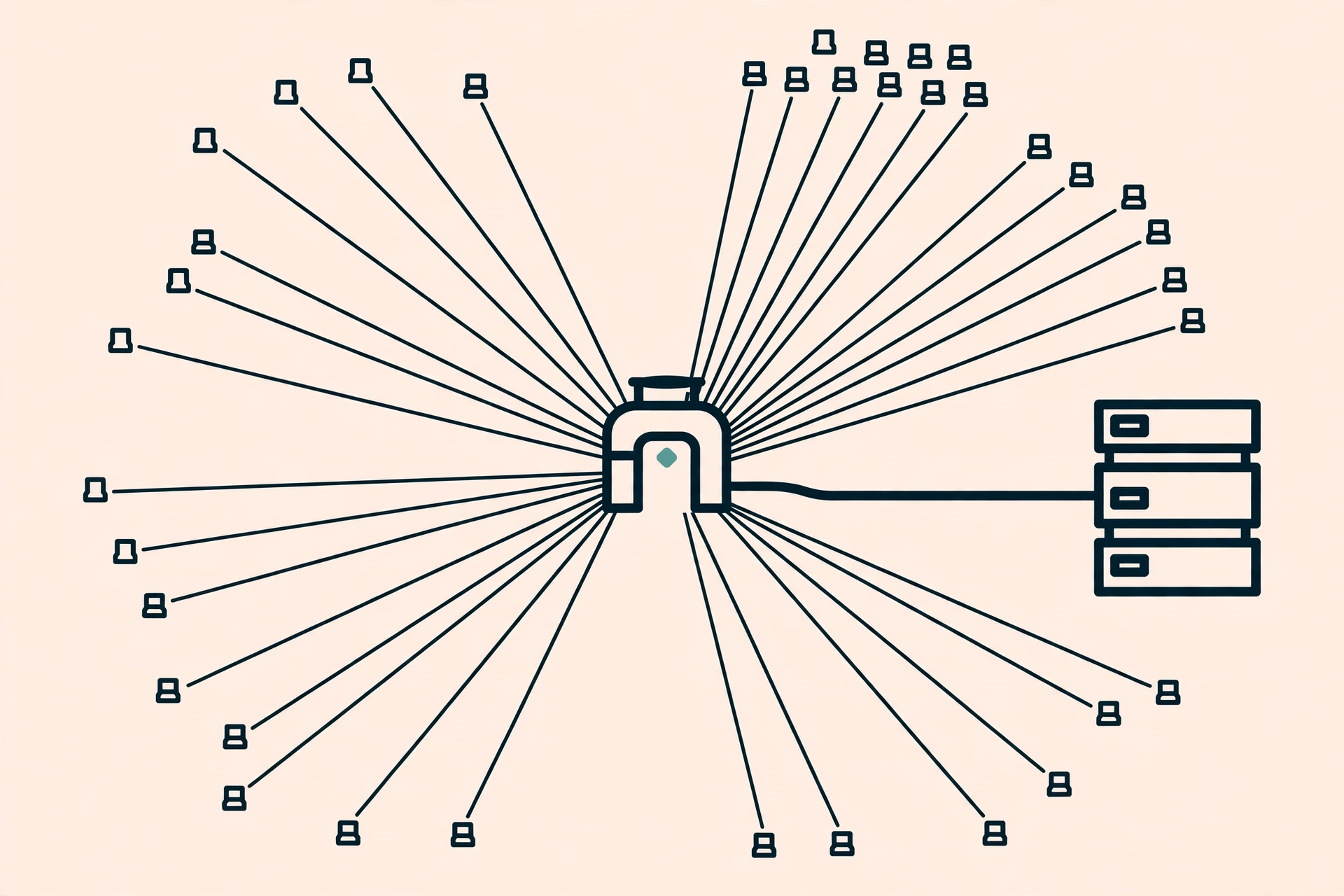
Once an application runs on many instances, every decision has to see the same counter. That is why Redis, or another shared store, becomes the standard. Moving counters to a shared store introduces three traps worth planning for from the start.
The first trap is the race condition. Two requests hitting two different instances at the same moment can both read a counter of "99 out of 100" and both pass, breaking the limit of 100. The fix is atomicity: increment and check must happen in one step on the store side, as in the Lua script above, not as a read followed by a write from the application.
The second trap is store failure. If Redis goes down, what happens to the API? There are two answers, and both have consequences. Fail open means the API keeps serving without limits while the store is down: users are unaffected, but protection disappears exactly when the system is already struggling. Fail closed means every request is rejected while the store is down: protection stays intact, but one Redis failure becomes a full API outage. Most public APIs choose fail open with a loud alarm, because a total outage costs more than a short window without limits. Whichever you choose, decide it deliberately and document it; do not let it happen by accident through an unhandled exception.
The third trap is inconsistent clocks and keys. Per-minute counters assume every instance agrees on what "the current minute" is. A few seconds of clock drift between instances is usually harmless, but a key built from the X-Forwarded-For header without validation is a real problem: clients can forge that header, pretending to be many different IPs. Take the IP from the direct connection or from a trusted proxy you control, and treat forwarded headers as untrusted data unless your proxy is configured to overwrite them.
Client side: handling 429 correctly
Rate limiting is a two-way contract. The server provides limits and signals, the client honors those signals. A good client reads the Retry-After header and waits that long before trying again. A bad client ignores it and retries as fast as possible, which only extends the rejection period and adds load.
A healthy retry pattern uses exponential backoff with jitter. Wait 1 second, then 2, then 4, and so on, with a small random amount added to each pause so that thousands of clients rejected at the same time do not wake up and surge in the exact same second. That jitter matters: without randomness, synchronized retries create a fresh traffic wave shaped exactly like the problem being avoided.
import random
import time


def call_with_retry(call, max_attempts=5):
    delay = 1.0
    for attempt in range(max_attempts):
        status, retry_after = call()
        if status != 429:
            return status
        wait = float(retry_after) if retry_after else delay
        time.sleep(wait + random.uniform(0, wait * 0.25))
        delay = min(delay * 2, 60.0)
    return 429
This function uses the server's Retry-After when available and falls back to backoff when it is not. A cap on attempts matters too: unbounded retries turn a temporary failure into permanent load. Five attempts with growing pauses covers most cases; if it still fails, report the failure upward instead of quietly retrying forever.
More mature clients do not wait to hit 429 at all. They read quota headers on successful responses and slow themselves down as Remaining gets low. That behavior separates a mature integration from one that merely works: one plans its quota usage, the other hits the wall and complains.
Real-world example: how public APIs publish their limits
Large public APIs almost always publish their limits openly, because hidden limits produce fragile integrations. GitHub, for example, publishes different limits for unauthenticated and authenticated requests and returns quota headers on every response. The pattern is worth copying at any scale: one documentation page stating the per-tier numbers, plus consistent headers on every response.
The lesson here is not the numbers, since every API's numbers differ and change over time. The lesson is transparency. Developers who know their limits can use caching for repeated requests, batch many operations into one call, and schedule heavy work outside peak hours. All of that good behavior appears not because clients are forced into it, but because they are given enough information to decide for themselves. Two companion pieces on this blog cover the most common complements to rate limiting: REST API design for reducing the number of requests an integration needs, and Redis caching strategies for reducing how many of those requests actually reach the server.
Common mistakes and how to avoid them
The first mistake is enforcing the limit after the expensive work is done. Rate limiting middleware must run before the costly handler: before the database query, before the third-party call, before rendering the report. A limit checked after the work finished protects nothing; it only adds one more check to the load that already happened.
The second mistake is one global limit for every endpoint. A global cap of 1,000 requests per hour might be generous for reads but far too tight for an endpoint called in a sync loop, or the reverse. The result is one greedy endpoint consuming the quota other endpoints need. Split limits per endpoint for the few endpoints whose behavior differs sharply from the average.
The third mistake is returning the wrong status. It bears repeating because it happens so often: 403 for an over-quota client makes the client think its credentials are broken, and 503 makes monitoring think the server is down. Use 429, include Retry-After, and write a body naming the limit that was exceeded.
The fourth mistake is never testing the limit. Untested rate limiting tends to be wrong in both directions: too loose to protect, or too strict and blocking legitimate users on day one. Test with a simple script: send slightly more requests than the limit and confirm the 101st is a 429 with the right headers, then wait for the window to roll and confirm requests are accepted again. Also test behavior when the store is down, matching the fail open or fail closed decision already made.
The fifth mistake is forgetting users behind NATs and shared proxies. An IP limit that is too strict blocks an entire office or campus at once because they share one outbound IP. If complaints of "the API suddenly rejects all our requests" arrive from one organization, this is almost certainly the cause. The fix is key-based limits as the main layer, with a loose IP limit as a safety net only.
Best practices for production
Start from a policy that fits in one sentence: who is limited, to how much, over what window. If your policy needs a paragraph to explain, it is too complex to operate reliably. Three layers are a healthy starting point: a loose per-IP limit at the edge, a per-API-key limit at the gateway, and strict limits for sensitive endpoints.
Document limits alongside the rest of the API documentation, and treat a limit change as an API change worth communicating. Clients that suddenly receive 429s after years of clean traffic will assume a bug, unless they were told the limit changed and when.
Monitor rate limiting like any other metric. What to watch: the percentage of rejected requests per endpoint, which clients are rejected most often, and whether rejections correlate with latency spikes or downstream errors. A sudden rise in rejections can mean an attack, a bug in a popular client, or a limit that became too strict after a new release. Without these metrics, only guessing is possible. Connect them to the observability setup you already have: the OpenTelemetry guide on this blog shows how to bring metrics like these into the same place as traces and logs.
Finally, load test before relying on limits in production. Rate limiting tested at dozens of requests per second can collapse at thousands per second, not because the algorithm is wrong, but because the store becomes a new bottleneck. Test with traffic close to the peak you expect, and measure the latency added by the limit check itself. A check that adds 50 milliseconds to every request is a tax paid by all users, including those who never approach the limit.
FAQ
Are rate limiting and throttling the same thing?
No. Rate limiting rejects requests over quota with a 429 response. Throttling slows request processing without rejecting them. Both manage load, but clients feel different outcomes: a fast failure or a slow success. Many systems use both at different layers.
Which algorithm should I start with?
For a general public API, token bucket. It has two parameters that are easy to understand, tolerates reasonable bursts, and caps the long-term average. Use fixed window when simplicity matters more than boundary accuracy, and sliding window when boundary accuracy is a requirement, for example on login endpoints.
What is a sensible limit for a new API?
There is no universal number. Start from observed usage: measure requests per client per hour under normal traffic, then set the limit several times above the normal peak. A limit that is too strict on day one blocks legitimate users; a generous one can be tightened once rejection data exists. What matters most is publishing the number and watching rejections.
Should 429s count as errors in monitoring?
Keep them separate from server errors. A 429 is designed behavior, not a system failure. Track rejections as their own metric: rejection ratio per endpoint and the most frequently rejected clients. Mixing 429s into the general error rate makes alarms fire for something working exactly as designed.
Is rate limiting enough to stop abuse?
No. Rate limiting slows abuse and makes it more expensive, but it does not replace authentication, authorization, input validation, or anomaly detection. Treat it as one layer of layered defense: it makes attacks slow and costly while other layers handle the rest. For protocol details, see RFC 6585 for status 429 and the IETF draft for RateLimit headers, plus the practical walkthrough in Moesif's rate limiting strategies guide.
Conclusion
API rate limiting is not a feature bolted on afterward; it is part of good API design. Pick the algorithm that matches the behavior you want: fixed window for simplicity, sliding window for accuracy, token bucket for general public APIs, leaky bucket for fragile downstream systems. Apply limits at the right layer, keep counters in a shared store for distributed systems, and communicate limits honestly through status 429, the Retry-After header, and quota headers.
The most sensible next step: map the three most expensive endpoints in your API, set per-endpoint limits for those three, and write one documentation page stating those limits. Once that runs and is monitored for a few weeks, extend the policy to other endpoints based on the rejection data you actually see, not on guesses. An API that limits clearly earns more trust than one that quietly collapses when traffic peaks.
Comments
Have a thought, a question, or something to add? Write it here.