
Python asyncio Guide: Thread-Free Concurrency for I/O-Bound Workloads
Learn Python asyncio from scratch: how the event loop works, coroutines, TaskGroup, and a tutorial for building a concurrent HTTP client and scraper with runnable code.
Panji Ihsanudin Fajri
14 min read0 reads

Contents
- What is asyncio?
- Why asyncio matters for I/O-bound workloads
- How asyncio works: event loop, coroutines, and tasks
- Asyncio vs threading vs multiprocessing
- Tutorial: building a concurrent HTTP client
- Essential patterns: gather, TaskGroup, timeout, Semaphore, Queue
- Case study: a concurrent data scraper
- Common mistakes and how to avoid them
- Best practices
- FAQ
- Conclusion
Most Python programs spend most of their runtime waiting: on API responses, database queries, downloads. A script firing 200 API calls in sequence spends 200 round trips mostly idle. This guide shows how python asyncio lets one thread interleave all that waiting, so the program finishes in roughly the longest single wait instead of the sum of every wait.
Summary:
- asyncio runs I/O-bound tasks concurrently on one thread via an event loop and coroutines.
asyncio.gather()andasyncio.TaskGrouplaunch coroutine batches and collect results.- Timeouts, semaphores, and queues keep speed, failures, and memory under control.
- It accelerates waiting, not computing — CPU-bound work still belongs in multiprocessing.
What is asyncio?
asyncio is Python's standard library for writing concurrent code with async and await syntax. It runs many tasks on one thread through a single event loop, switching between them whenever one waits on I/O. That makes it ideal for network servers, API clients, and scrapers that spend most of their time waiting rather than computing.
It has shipped with Python since 3.4, so there is nothing to install. The high-level entry point is asyncio.run(): it builds the event loop, drives your main coroutine, and shuts down cleanly. The asyncio documentation is the authoritative reference for every API here.
One boundary matters more than any feature: asyncio only helps when your program waits. Coroutines switch at await points, so a coroutine that crunches numbers for two seconds without awaiting blocks the loop for two seconds, and every other task waits with it. Keep that picture in mind and the rest of this guide falls into place.
Why asyncio matters for I/O-bound workloads
Work splits into two kinds. CPU-bound work — image resizing, hashing, model inference — is limited by processor speed. I/O-bound work — HTTP calls, database queries, file transfers — is limited by waiting for someone else to respond. Most backend code and tooling is the second kind: a request handler might spend 5 milliseconds computing and 200 milliseconds waiting on the database.
Threads solve waiting too, but they scale poorly: each thread reserves megabytes of stack and the OS pays to switch between them. A coroutine costs kilobytes and the loop switches in user space, so ten thousand concurrent waits fit comfortably in one process.
asyncio never makes a single operation faster — one request still takes as long as the server needs. What changes is throughput: while request A waits, requests B through Z get their turns. For mostly-waiting workloads, that is the difference between minutes and seconds.
How asyncio works: event loop, coroutines, and tasks
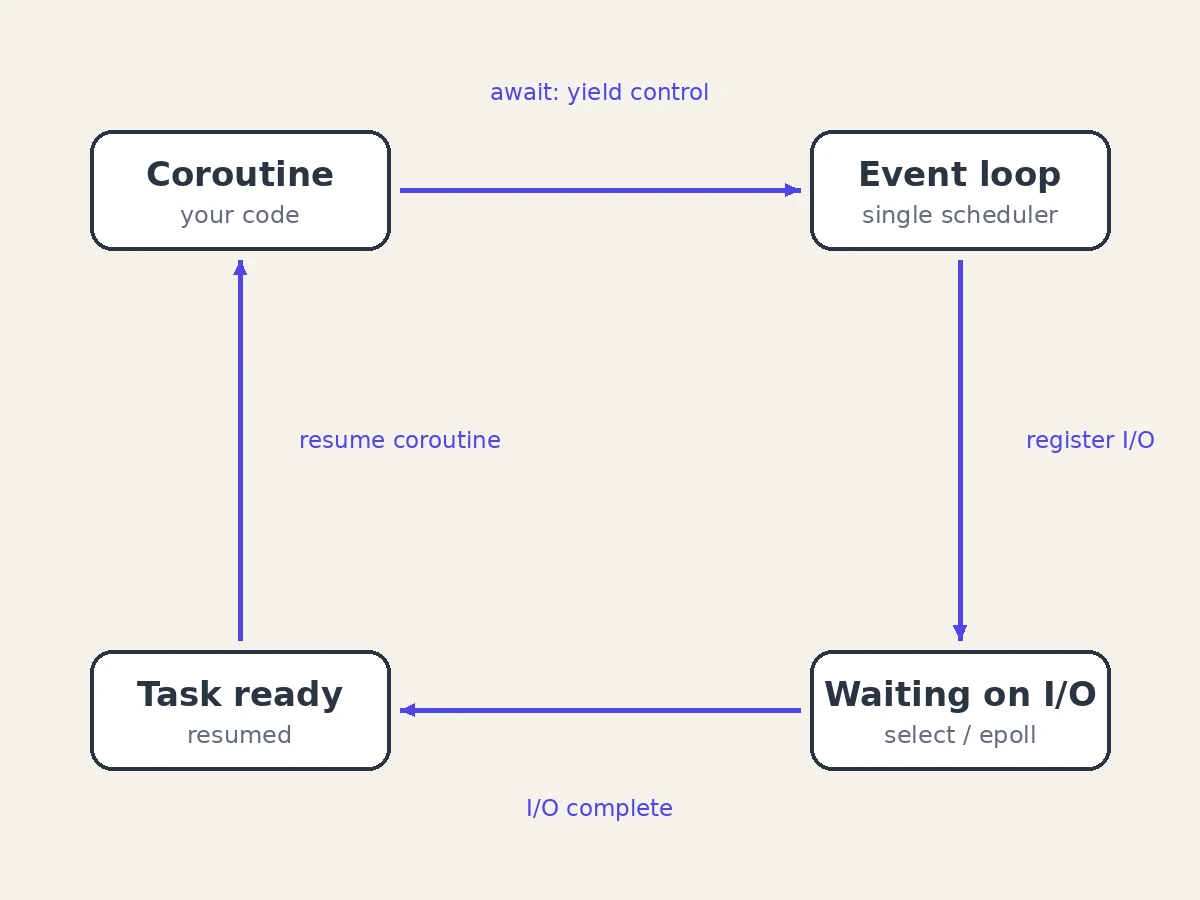
A coroutine is a function defined with async def. Calling it runs no code — it returns a coroutine object. Inside, await marks the points where the function may pause: when a coroutine awaits a network read, it hands control back to the event loop instead of blocking the thread. That single mechanism is the whole trick.
The event loop is the scheduler. It tracks every pending socket, timer, and callback, and resumes each coroutine when its awaited operation is ready. Nothing runs in parallel — the loop just never lets the thread idle while work is ready.
A task is a coroutine the loop runs right now. asyncio.create_task() (since Python 3.7) schedules one immediately and returns a Task to await later. Sharp edge: the loop keeps only weak references, so a task you create and forget can be garbage-collected mid-flight — hold a strong reference, or hand ownership to asyncio.TaskGroup below. The coroutines and tasks page documents the full lifecycle.
Here is the smallest program that shows the idea:
import asyncio

async def fetch_page(name: str) -> str:
    print(f"starting {name}")
    await asyncio.sleep(1)  # stand-in for a network wait
    print(f"finished {name}")
    return f"content of {name}"

async def main() -> None:
    page_a = asyncio.create_task(fetch_page("a"))
    page_b = asyncio.create_task(fetch_page("b"))
    print(await page_a)
    print(await page_b)

asyncio.run(main())
Both tasks sleep "at the same time", so the program finishes in about one second instead of two:
import asyncio
import time

async def fetch(n: int) -> str:
    await asyncio.sleep(0.5)  # one simulated network round trip
    return f"result-{n}"

async def sequential() -> None:
    start = time.perf_counter()
    results = [await fetch(i) for i in range(10)]
    print(f"sequential: {time.perf_counter() - start:.2f}s, got {len(results)} results")

async def concurrent() -> None:
    start = time.perf_counter()
    results = await asyncio.gather(*(fetch(i) for i in range(10)))
    print(f"concurrent: {time.perf_counter() - start:.2f}s, got {len(results)} results")

async def main() -> None:
    await sequential()
    await concurrent()

asyncio.run(main())
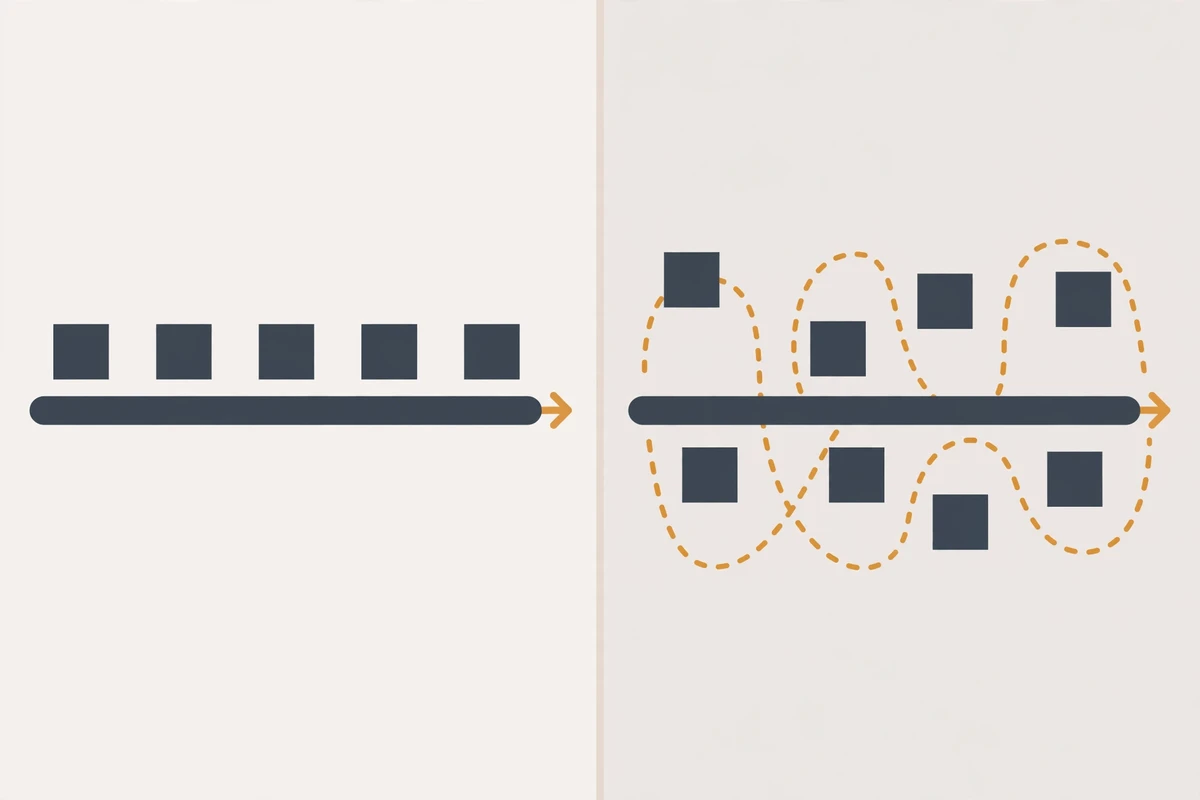
Sequential: ten half-second waits take about five seconds. Concurrent: all ten share the wait, about half a second total. The sleeps are deterministic, so you can verify the ratio yourself.
Asyncio vs threading vs multiprocessing
| asyncio | threading | multiprocessing | |
|---|---|---|---|
| Concurrency unit | coroutines and tasks | OS threads | OS processes |
| Parallel CPU work | no — one loop thread | limited by the GIL | yes — separate interpreters |
| Best for | thousands of concurrent I/O waits | blocking I/O with legacy sync libraries | CPU-heavy computation |
| Memory per unit | kilobytes | megabytes of stack | tens of megabytes |
| Switching | explicit, at await points |
preemptive, by the OS | preemptive, by the OS |
| Shared state | straightforward inside one loop | needs locks | needs IPC: queues, pipes |
| Failure isolation | one exception can cancel siblings | shared process | fully isolated process |
The rule is practical. Choose asyncio when your program waits on many things at once and async libraries exist for what it touches. Choose threads when you must integrate blocking libraries you cannot rewrite. Choose multiprocessing when the CPU is the bottleneck, since separate processes sidestep the GIL. Async/await is not Python-only — our TypeScript best practices cover the same patterns in Node.js.
Tutorial: building a concurrent HTTP client
Let's assemble the pieces into something useful: a client that fetches 20 URLs with at most 5 requests in flight at any moment.
Step 1 — Install an async HTTP client. The standard urllib and the popular requests library both block, so they would freeze the loop. Install httpx instead:
pip install httpx
httpx speaks both sync and async (httpx docs); aiohttp is the other established choice.
Step 2 — Write the fetch coroutine. One coroutine handles a single URL. The semaphore guarantees we never exceed our concurrency budget, no matter how many coroutines we launch:
import asyncio

import httpx

async def fetch(client: httpx.AsyncClient, sem: asyncio.Semaphore, url: str) -> str:
    async with sem:  # never more than N requests in flight
        response = await client.get(url, timeout=15.0)
        return f"{url} -> {response.status_code}"
Step 3 — Launch everything with gather. The main coroutine opens one shared client, creates one coroutine per URL, and awaits them all:
import asyncio
import time

import httpx

URLS = [f"https://httpbin.org/delay/1?n={i}" for i in range(20)]

async def fetch(client: httpx.AsyncClient, sem: asyncio.Semaphore, url: str) -> str:
    async with sem:
        response = await client.get(url, timeout=15.0)
        return f"{url} -> {response.status_code}"

async def main() -> None:
    sem = asyncio.Semaphore(5)
    start = time.perf_counter()
    async with httpx.AsyncClient() as client:
        results = await asyncio.gather(*(fetch(client, sem, u) for u in URLS))
    print(f"{len(results)} requests in {time.perf_counter() - start:.2f}s")

asyncio.run(main())
Step 4 — Run it. Each URL waits about one second server-side: twenty seconds sequentially, roughly four with five in flight. Drop the semaphore and it nears one second — at the cost of hammering the server with twenty simultaneous connections.
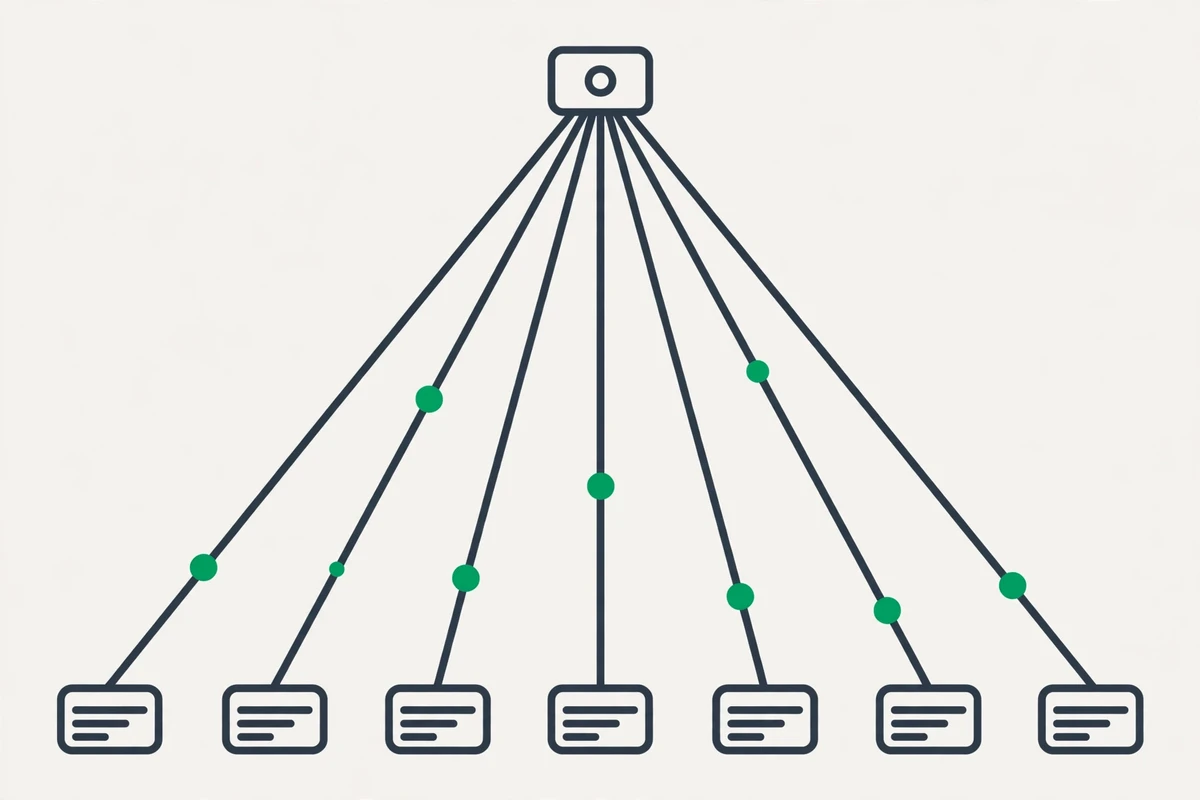
Step 5 — Be polite. Concurrency is power over someone else's server: keep the semaphore modest and honor Retry-After headers. If the API is yours to design, our REST API design guide covers pagination and rate limits — build for clients like this one.
Essential patterns: gather, TaskGroup, timeout, Semaphore, Queue
asyncio.gather — fan out, collect in order. It runs any number of coroutines concurrently and returns results in argument order. With return_exceptions=True, a failure becomes an exception object in the list instead of cancelling its siblings:
import asyncio

async def work(n: int) -> int:
    await asyncio.sleep(0.1)
    if n == 3:
        raise ValueError("job 3 exploded")
    return n * 2

async def main() -> None:
    results = await asyncio.gather(
        *(work(i) for i in range(5)),
        return_exceptions=True,
    )
    for r in results:
        print("error:" if isinstance(r, Exception) else "ok:", r)

asyncio.run(main())
asyncio.TaskGroup — structured concurrency (Python 3.11+). The group owns its tasks: exiting the async with block waits for all of them, and multiple failures combine into one ExceptionGroup (PEP 654). Not available below 3.11:
import asyncio  # TaskGroup needs Python 3.11+

async def worker(name: str) -> str:
    await asyncio.sleep(0.2)
    return f"{name} done"

async def main() -> None:
    async with asyncio.TaskGroup() as tg:
        tasks = [tg.create_task(worker(f"job-{i}")) for i in range(5)]
    # leaving the block waited for every task
    for task in tasks:
        print(task.result())

asyncio.run(main())
asyncio.timeout — deadlines (Python 3.11+). Wrap any awaitable in async with asyncio.timeout(seconds) and it raises TimeoutError if the deadline passes. Before 3.11, the equivalent was asyncio.wait_for():
import asyncio  # timeout() needs Python 3.11+

async def slow_query() -> str:
    await asyncio.sleep(30)  # a database that never answers
    return "data"

async def main() -> None:
    try:
        async with asyncio.timeout(2.0):
            data = await slow_query()
    except TimeoutError:
        print("gave up after 2 seconds")
    else:
        print(data)

asyncio.run(main())
asyncio.Semaphore — bounded concurrency. At most N coroutines hold it at once; the rest queue. Use it when the coroutine count is unbounded — URLs from user input — but the resource is not:
import asyncio

async def download(n: int, sem: asyncio.Semaphore) -> None:
    async with sem:
        await asyncio.sleep(0.5)
        print(f"downloaded file {n}")

async def main() -> None:
    sem = asyncio.Semaphore(3)
    await asyncio.gather(*(download(i, sem) for i in range(10)))

asyncio.run(main())
asyncio.Queue — producer/consumer pipelines. Producers put items in, a fixed worker pool takes them out, queue.join() waits for completion. Set maxsize and producers slow down when workers lag — that backpressure keeps memory flat:
import asyncio

async def producer(queue: asyncio.Queue, count: int) -> None:
    for i in range(count):
        await queue.put(f"url-{i}")
    for _ in range(3):  # one sentinel per worker
        await queue.put(None)

async def worker(name: str, queue: asyncio.Queue) -> None:
    while True:
        item = await queue.get()
        if item is None:
            queue.task_done()
            break
        await asyncio.sleep(0.2)  # fetch and parse
        print(f"{name} processed {item}")
        queue.task_done()

async def main() -> None:
    queue: asyncio.Queue = asyncio.Queue(maxsize=50)
    workers = [asyncio.create_task(worker(f"w{i}", queue)) for i in range(3)]
    await producer(queue, 10)
    await queue.join()
    await asyncio.gather(*workers)

asyncio.run(main())
Case study: a concurrent data scraper
A price tracker scrapes 40 catalog pages hourly into a CSV — roughly a minute sequentially, almost entirely waiting. Below, four earlier patterns combine: a semaphore for politeness, gather for fan-out, a per-page timeout, and isolated errors so one dead page cannot kill the batch.
import asyncio
import csv

import httpx

BASE_URL = "https://example-shop.test/products?page={}"
PAGES = 40
MAX_CONCURRENT = 5

async def fetch_page(client, sem, page):
    async with sem:
        try:
            async with asyncio.timeout(10.0):  # Python 3.11+
                response = await client.get(BASE_URL.format(page))
                response.raise_for_status()
                return response.json()["products"]
        except (httpx.HTTPError, TimeoutError) as exc:
            print(f"page {page} failed: {exc}")
            return []

async def main():
    sem = asyncio.Semaphore(MAX_CONCURRENT)
    async with httpx.AsyncClient(timeout=15.0) as client:
        batches = await asyncio.gather(
            *(fetch_page(client, sem, p) for p in range(1, PAGES + 1))
        )
    products = [item for batch in batches for item in batch]
    with open("products.csv", "w", newline="") as f:
        writer = csv.DictWriter(f, fieldnames=["id", "name", "price"])
        writer.writeheader()
        writer.writerows(products)
    print(f"saved {len(products)} products from {PAGES} pages")

asyncio.run(main())
Three details make this production-shaped. The semaphore caps politeness at five — raise it and you risk a block. Every page gets its own ten-second timeout, so one hung connection cannot stall the batch. Failures are contained: an erroring page returns an empty list and the other 39 still land in the CSV. A scraper like this usually runs on a schedule — our CI/CD pipeline guide shows how to automate recurring jobs.
Common mistakes and how to avoid them
Forgetting await. Calling an async function without await returns a coroutine that never runs, and Python emits RuntimeWarning: coroutine was never awaited. If async code silently does nothing, check for the missing await first — the most common beginner bug by far.
Blocking the event loop. time.sleep(), requests.get(), or heavy computation inside a coroutine freezes every task, not just the current one. Use async libraries for I/O; push unavoidable blocking calls into a thread pool with loop.run_in_executor():
import asyncio
import time

def blocking_database_call(query: str) -> str:
    time.sleep(1)  # a sync driver that blocks its thread
    return f"rows for {query}"

async def main() -> None:
    loop = asyncio.get_running_loop()
    rows = await loop.run_in_executor(None, blocking_database_call, "SELECT 1")
    print(rows)

asyncio.run(main())
The blocking call runs in a separate thread while the loop stays responsive. Treat the executor as a bridge for legacy code, not as your architecture.
Letting fire-and-forget tasks die. The loop keeps only weak references to tasks, so a task with no strong reference can be garbage-collected before it finishes — the symptom is work that randomly never completes. Keep tasks in a set and discard them in a done callback, or better, let a TaskGroup own them.
Calling asyncio.run() inside a running loop. In Jupyter notebooks or inside async web frameworks the loop already exists, and a second asyncio.run() raises RuntimeError. There, just await the coroutine directly instead of wrapping it.
Assuming gather tolerates failures. By default, one exception cancels the remaining coroutines and propagates. Pass return_exceptions=True to collect failures as values, or use a TaskGroup and handle the resulting ExceptionGroup explicitly.
Best practices
- Enter through
asyncio.run()exactly once, frommain(). Everything else should be coroutines called by coroutines. - Prefer genuinely async libraries — httpx, aiohttp, asyncpg — over wrapping sync calls in executors.
- Put a timeout on every network call — a hung connection with no deadline is how async services wedge in production.
- Bound concurrency with a Semaphore or fixed worker pool; never run unbounded
gatherover input you do not control. - Prefer TaskGroup over bare
create_taskon Python 3.11+: task lifetimes stay visible and failures arrive as one ExceptionGroup. - Keep CPU-heavy work out of coroutines. Push it to an executor, or to multiprocessing when the GIL is the bottleneck.
- Name your tasks —
asyncio.current_task().get_name()— so logs and tracebacks identify which coroutine failed. - Shut down deliberately: cancel tasks, await their cancellation, and close sessions inside
finallyblocks.
FAQ
Is asyncio the same as multithreading?
No. Asyncio runs on one thread — coroutines yield voluntarily at await, while threads are preempted by the OS at any moment. No GIL contention, no races between two awaits; just keep mutation local across an await.
Can I make my requests-based script async by adding async and await?
No — requests does blocking socket I/O, so awaiting it still freezes the loop. Swap it for httpx or aiohttp, or run it inside loop.run_in_executor() as a stopgap.
When should I choose asyncio over threads? When you have many concurrent I/O waits and async libraries exist for your services — HTTP APIs, databases, queues. Threads win for blocking libraries you cannot rewrite, since each thread blocks independently.
Why isn't my async code any faster?
Usually one of two causes: something inside a coroutine blocks the loop — time.sleep(), a sync HTTP call, heavy computation — or the work is CPU-bound, where multiprocessing is the answer. Profile before assuming.
Does asyncio work on older Python versions?
The core — loop, coroutines, tasks, gather, queues, semaphores — goes back to 3.4, with asyncio.run() and create_task() since 3.7. TaskGroup and asyncio.timeout() need 3.11+.
Conclusion
asyncio is concurrency without threads: one event loop, coroutines yielding at await, tasks to schedule them. gather and TaskGroup fan work out; timeouts, semaphores, and queues keep it controlled. It fits I/O-bound problems — scrapers, API clients, chat servers — and loses to multiprocessing on CPU-bound ones.
A good next step is converting one real script: the HTTP client from the tutorial is a solid template. When it is working locally, our Docker developer guide shows how to ship it in a container. And when you outgrow the basics, the asyncio documentation covers event loop policies and the lower-level APIs waiting underneath.