
TypeScript Best Practices: A Practical Guide to Type-Safe Code
A practical guide to TypeScript best practices: strict mode, precise typing, generics, and common patterns — with valid code examples you can use today.
Panji Ihsanudin Fajri
15 min read1 reads

Contents
- TypeScript Best Practices: What They Mean
- Why TypeScript Best Practices Matter
- Bugs get caught before they reach users
- Refactoring without fear
- Documentation that never goes stale
- How the TypeScript Type System Works
- Turn On Strict Mode From Day One
- Avoid any: Use unknown and Narrowing
- Model State With Discriminated Unions
- Lock Literal Values With as const
- Generics: Write Once, Use for Many Types
- Interface vs Type: Choose Calmly
- Default to Immutability: readonly and Built-in Utilities
- Common Mistakes and How to Avoid Them
- Case Study: Refactoring a Loose API Client
- FAQ
- Does TypeScript slow down my app's runtime?
- When is it okay to use any?
- Is strict mode mandatory for small projects or one-off scripts?
- Interface or type — which one is correct?
- How do I validate API data if types disappear at runtime?
- Conclusion
Plenty of real-world TypeScript is JavaScript wearing a .ts extension. any annotations scattered everywhere, strict switched off to "keep things simple", and the expensive type checker reduced to decoration. The result is ironic: the same bugs as JavaScript, plus a false sense of safety.
This guide collects the TypeScript best practices that actually get used in production codebases: turning on strict mode from day one, typing precisely with unknown and discriminated unions, using generics without over-engineering, and safe refactoring patterns. Every practice comes with valid code examples you can copy straight into your project.
Summary: TypeScript best practices come down to three habits: (1) turn
stricton and never switch it off; (2) avoidany— reach forunknownplus narrowing or precise types instead; (3) model state with discriminated unions and use generics for reused code. These practices catch bugs at compile time instead of letting your users find them.
TypeScript Best Practices: What They Mean
TypeScript best practices are the habits that get the most value out of the type checker: bugs caught at compile time, fearless refactors, and code readers who understand your intent without guessing. This isn't about brace style — it's about type decisions: when unknown beats any, when a union beats an enum, and when generics save you from duplication.
Everything here applies to TypeScript 5.x and focuses on high-impact, low-effort changes. If you're coming from JavaScript, treat this as a roadmap: follow it in order, and each step makes your codebase a little safer than before.
Why TypeScript Best Practices Matter
Bugs get caught before they reach users
TypeScript was built with one explicit goal: JavaScript that scales to large codebases and large teams. The type checker acts like a colleague reviewing every line before the code runs — a mistyped property name, swapped function arguments, or a null slipping through unnoticed gets flagged in your editor immediately. In JavaScript, that same bug surfaces when a user clicks the wrong button, and fixing it there costs far more.
Refactoring without fear
Well-typed code turns renames, function moves, and data-shape changes into safe operations. The compiler points at every affected location, so you don't have to hold the whole codebase in your head. Without precise types, every large refactor feels like surgery without anesthesia.
Documentation that never goes stale
Types are documentation the compiler verifies on every build. Comments rot, but a signature like function transfer(from: AccountId, to: AccountId, amount: PositiveNumber) can't lie about what it accepts. New teammates grasp a function's contract just by reading its types.
How the TypeScript Type System Works
Before the practices, two foundational facts will make your type decisions sharper.
First, TypeScript uses structural typing: two types are compatible when their shapes match, not because their names match. An object typed { name: string } works wherever { name: string } is expected, even when defined in different files. That makes types feel flexible — but it also means a type's name alone guarantees nothing, which matters when we get to validation.
Second, types are erased at compile time. Once tsc finishes, what runs is plain JavaScript with no type information left. The consequence is important: TypeScript can't protect you from data arriving from outside — API responses, form input, file contents. For those system boundaries you still need runtime validation, covered in the common-mistakes section.

The principle is simple: the type checker reads your types like instructions — the more precise the instructions, the better the help. The same principle applies when giving precise instructions to a language model: input clarity decides output quality.
Turn On Strict Mode From Day One
This single configuration block is the highest-ROI TypeScript best practice there is:
{
  "compilerOptions": {
    "strict": true,
    "noUncheckedIndexedAccess": true,
    "exactOptionalPropertyTypes": true,
    "target": "ES2022",
    "module": "ESNext",
    "moduleResolution": "bundler"
  }
}
The strict flag is really a bundle of checks. The ones with the most impact:
| Flag | What the compiler checks |
|---|---|
noImplicitAny |
Rejects expressions with an implicit any type |
strictNullChecks |
Stops null and undefined from sneaking into other types |
strictFunctionTypes |
Checks function parameters correctly when functions are passed as values |
strictBindCallApply |
Type-checks arguments to bind, call, and apply |
noUncheckedIndexedAccess |
Makes arr[i] return T | undefined instead of T |
exactOptionalPropertyTypes |
Rejects explicit undefined for optional properties |
The two extra flags beyond the strict bundle — noUncheckedIndexedAccess and exactOptionalPropertyTypes — do feel fussy at first. Array access now forces you to handle the undefined case, and that's exactly the point: most "cannot read property of undefined" crashes come from assumptions nobody wrote down.
The "from day one" part is practical: enabling strict halfway through a large project means hundreds of errors at once and a painful migration. Enabling it in an empty project means zero errors and habits that form naturally.
Avoid any: Use unknown and Narrowing
any is an escape hatch in the type system. Every any-typed value disables checking for its entire downstream chain, and the hole is contagious — one any upstream can invalidate dozens of precise annotations downstream.
// ❌ any disables the type checker entirely
function parseJsonAny(raw: string): any {
  return JSON.parse(raw);
}

const data = parseJsonAny("{}");
data.user.name.toUpperCase(); // compiles fine, crashes at runtime
The replacement is unknown: a type that honestly says "I don't know what this is yet", so the compiler forces you to check before use.
// ✅ unknown forces validation before use
function parseJson(raw: string): unknown {
  return JSON.parse(raw);
}

function isUser(value: unknown): value is { name: string } {
  return (
    typeof value === "object" &&
    value !== null &&
    "name" in value &&
    typeof (value as { name: unknown }).name === "string"
  );
}

const maybeUser = parseJson("{}");
if (isUser(maybeUser)) {
  console.log(maybeUser.name.toUpperCase()); // safe: validated
}
This pattern is a type guard — a function returning value is T that narrows the type inside an if block. For simple cases, built-in narrowing with typeof, instanceof, and in is usually enough without a manual guard:
function formatId(id: string | number): string {
  if (typeof id === "string") {
    return id.trim().toUpperCase(); // id: string here
  }
  return id.toFixed(0); // id: number here
}
The practical rule: any belongs only in genuinely desperate code — adapters for old untyped libraries — and should be wrapped in a type guard as soon as possible. If you're tempted to write any to "get it done fast", that's a sign the type hasn't been thought through, not a sign the compiler is being fussy.
Model State With Discriminated Unions
The hardest state bugs to track down usually come from invalid boolean-flag combinations: isLoading: true at the same time as isError: true, or data populated while isLoading is still on. The fix is making illegal states unrepresentable.
type ApiState =
  | { status: "idle" }
  | { status: "loading" }
  | { status: "success"; data: string[] }
  | { status: "error"; message: string };

function assertNever(value: never): never {
  throw new Error(`Unhandled case: ${JSON.stringify(value)}`);
}

function render(state: ApiState): string {
  switch (state.status) {
    case "idle":
      return "No data yet";
    case "loading":
      return "Loading...";
    case "success":
      return `Found ${state.data.length} items`;
    case "error":
      return `Failed: ${state.message}`;
    default:
      return assertNever(state); // compile error if a new status isn't handled
  }
}
This discriminated union pattern — a union of objects distinguished by one literal property (status) — pays off twice. First, in each switch branch TypeScript narrows the type automatically, so you can only touch properties valid for that status. Second, assertNever makes the compiler complain the day someone adds a new variant like status: "refreshing". Adding features stops risking a forgotten render branch.
Lock Literal Values With as const
Plenty of bugs come from strings that are "almost right": "GET" vs "get", an event name with one wrong letter. Instead of relying on memory, lock the allowed values at the type level.
const HTTP_METHODS = ["GET", "POST", "PUT", "DELETE"] as const;
type HttpMethod = (typeof HTTP_METHODS)[number];
// HttpMethod = "GET" | "POST" | "PUT" | "DELETE"

function request(method: HttpMethod, url: string): void {
  /* ... */
}

request("GET", "/api/users"); // ok
// request("get", "/api/users"); // ❌ error: not an HttpMethod
as const turns a plain array into a readonly tuple of literals, and (typeof HTTP_METHODS)[number] extracts the union of its elements. One source of truth for runtime values and types — adding a method means editing the array, and the type follows.
The same technique works for patterned strings via template literal types:
type EventName = `user:${"created" | "updated" | "deleted"}`;

function emit(event: EventName, payload: unknown): void {
  /* ... */
}

emit("user:created", {}); // ok
// emit("user:banned", {}); // ❌ error: doesn't match EventName
Generics: Write Once, Use for Many Types
The most common duplication in TypeScript codebases is the same function rewritten only because the types differ: fetchUser, fetchProduct, fetchOrder with identical bodies. Generics solve this without giving up type safety.
async function fetchJson<T>(url: string): Promise<T> {
  const res = await fetch(url);
  if (!res.ok) {
    throw new Error(`HTTP ${res.status} from ${url}`);
  }
  return (await res.json()) as T;
}

interface User {
  id: number;
  name: string;
}

const user = await fetchJson<User>("/api/users/1");
console.log(user.name.toUpperCase()); // user is User, full autocomplete
Generics can also be kept from getting too loose with constraints:
function getProperty<T, K extends keyof T>(obj: T, key: K): T[K] {
  return obj[key];
}

const person = { name: "Panji", age: 30 };
const name = getProperty(person, "name"); // string
// const bad = getProperty(person, "email"); // ❌ error: "email" is not a key of person
K extends keyof T guarantees the requested key actually exists on the object, and the return type follows whichever property you pick. Without generics, this function would need any or a rewrite per object shape.
One warning: don't create generics for code used exactly once. Premature abstraction is harder to read than a little duplication. Introduce a type parameter when the second or third occurrence shows up — the same instinct as ordinary refactoring.
Interface vs Type: Choose Calmly
The interface vs type debate burns more energy than the difference deserves. Both describe object shapes, and for most cases the result is identical. What matters is understanding the difference so your choice is deliberate:
| Aspect | interface |
type |
|---|---|---|
| Extension | extends |
Intersection & |
| Unions and tuples | Not directly | Yes |
| Declaration merging | Yes, definitions can merge | No |
| Error messages | Usually cleaner | Can get long for complex types |
The convention many teams use: interface for object shapes and public API contracts (friendlier errors, extendable), type for unions, tuples, mapped types, and utilities. Consistency within one codebase matters more than either individual choice — write the team agreement down in one place and follow it.
interface User {
  id: number;
  name: string;
}

interface Admin extends User {
  role: "admin" | "superadmin";
}

type ID = string | number;
type Point = readonly [number, number];
Default to Immutability: readonly and Built-in Utilities
A share of state bugs comes from objects quietly mutated by some other function. readonly turns "please don't mutate this" from a hope into something the compiler enforces.
interface Config {
  readonly apiUrl: string;
  readonly retries: number;
}

const config: Config = { apiUrl: "https://api.example.com", retries: 3 };
// config.retries = 5; // ❌ error: cannot assign to readonly property
TypeScript also ships built-in utilities for common needs — learn these before writing your own:
Partial<T>— all properties optional, handy for update objectsPick<T, K>andOmit<T, K>— take or drop selected propertiesReadonly<T>— the readonly version of a typeRecord<K, V>— an object with fixed key and value typesReturnType<T>andParameters<T>— extract types from a function signature
interface User {
  id: number;
  name: string;
  email: string;
  passwordHash: string;
}

type PublicUser = Omit<User, "passwordHash">;
type UserUpdate = Partial<Pick<User, "name" | "email">>;

function updateUser(id: number, patch: UserUpdate): void {
  /* ... */
}

updateUser(1, { name: "New Name" }); // ok
// updateUser(1, { passwordHash: "x" }); // ❌ error: not part of UserUpdate
The full utility catalog lives on the official TypeScript utility types page.
Common Mistakes and How to Avoid Them

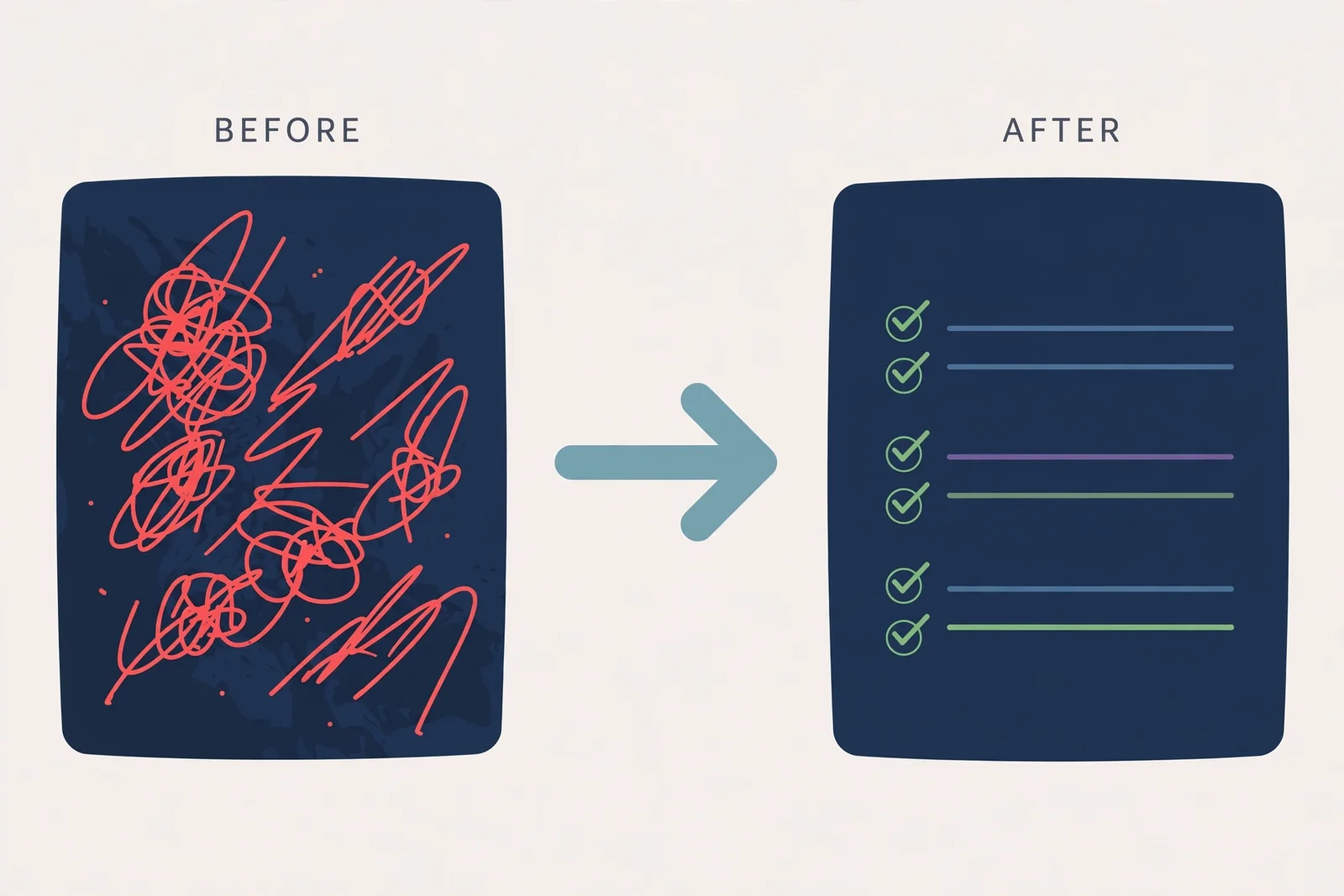
These are the patterns I flag most often in code review, with their fixes.
1. Excessive non-null assertions (!). The exclamation mark tells the compiler "trust me, this isn't null" — and the compiler obeys unconditionally. One refactor later the assumption is wrong and a crash appears. Replace with narrowing or an early return:
// ❌
function getLengthBad(input?: string): number {
  return input!.length;
}

// ✅
function getLength(input?: string): number {
  if (input === undefined) return 0;
  return input.length;
}
2. Numeric enums for string values. Numeric enums emit runtime code plus a confusing reverse mapping (Role[0] === "Admin"). For a fixed set of values, a string literal union is lighter and produces zero runtime code:
// ❌ emits runtime code you rarely need
enum RoleEnum {
  Admin,
  User,
}

// ✅ erased at compile time, clearer errors
type Role = "admin" | "user";
3. Blind casting with as. as changes nothing at runtime — it only silences the compiler. JSON.parse(x) as User[] still crashes if the API response changes shape. Use as only for things you know but the compiler can't prove, and validate external data with a schema validator at the system boundary.
4. Ambiguous optional types. Distinguish "may be absent" (prop?: T) from "may be null" (prop: T | null). If undefined shouldn't be assignable explicitly, exactOptionalPropertyTypes will catch it — one more reason to enable that flag.
5. Unnecessary overloads. Before writing function overloads, try a union parameter or an options object. Overloads add maintenance burden and often drift out of sync with their own implementation.
Case Study: Refactoring a Loose API Client
Picture this function in a real codebase — it works, but every line is an unverified promise:
// Before: any everywhere, errors thrown without context
async function getUsersBad(): Promise<any> {
  const res = await fetch("/api/users");
  return res.json();
}
A gradual refactor using this guide's practices:
// After: explicit types, meaningful errors, boundary validation
interface UserDto {
  id: number;
  name: string;
  email: string;
}

async function getUsers(): Promise<UserDto[]> {
  const res = await fetch("/api/users");
  if (!res.ok) {
    throw new Error(`Failed to load users: HTTP ${res.status}`);
  }
  const data: unknown = await res.json();
  if (!Array.isArray(data)) {
    throw new Error("Invalid response format from /api/users");
  }
  return data as UserDto[];
}

const users = await getUsers();
const names = users.map((u) => u.name.toUpperCase()); // u is UserDto
Notice what changed: an explicit return type (Promise<UserDto[]> instead of any), unknown for raw network data, a basic shape check before use, and error messages that name the endpoint. No new libraries, no new architecture — just deliberate type decisions. Stating the contract this explicitly also helps AI assistants write more accurate code, because precise instructions produce precise output.
FAQ
Does TypeScript slow down my app's runtime?
No. Every type annotation is erased during compilation, so what runs is plain JavaScript with identical performance. What gets "slower" is the build, because of the type-checking step — and that time is repaid by not debugging runtime bugs.
When is it okay to use any?
Almost never in application code. Reasonable exceptions: adapters for old JavaScript libraries without types, or a gradual migration from JavaScript. In both cases, contain the any in one small module with a type guard at its boundary, and mark it with a TODO comment so it doesn't spread.
Is strict mode mandatory for small projects or one-off scripts?
Small projects are the cheapest place to enable it: zero initial errors, and good habits form without resistance. For a genuinely throwaway script you can stay loose — but experience says "throwaway scripts" often outlive their estimates.
Interface or type — which one is correct?
Both are correct for describing object shapes. Use interface for object contracts and public APIs, type for unions, tuples, and utilities. More important than the choice is consistency: one codebase, one convention.
How do I validate API data if types disappear at runtime?
Exactly — type erasure means TypeScript can't inspect network data. The answer is runtime validation at the system boundary with a schema validator, then typing the validated result. Code inside your app keeps full type safety, and dirty data gets stopped at the door.
Conclusion
TypeScript best practices aren't a list of rules to memorize — they're one core habit: make assumptions explicit so the compiler can check them. Turn on strict mode, get rid of any, model state with discriminated unions, lock literal values, and use generics for repeated patterns. Each practice stands alone, but together they turn the type checker from decoration into a safety net.
The highest-impact next step: open your project's tsconfig.json today, switch strict on, and fix the errors one by one — that error list is really a list of bugs that have been hiding. And if you use AI to help write code, this prompt engineering guide complements the practices above: precise instructions, whether for a compiler or a language model, produce more reliable code.
Official references used: the TypeScript documentation, strict compiler options, the narrowing guide, and the generics guide.